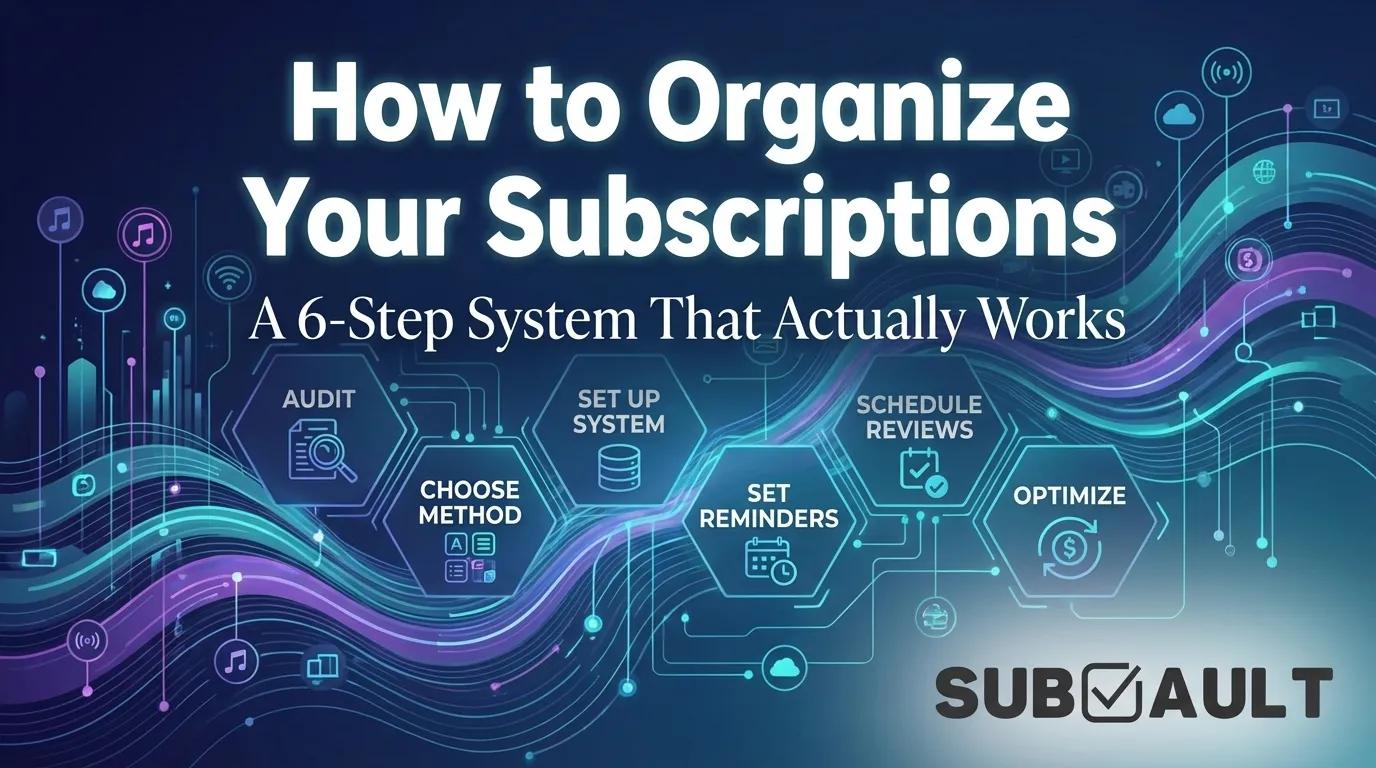
How to Organize Your Subscriptions: A 6-Step System That Actually Works
Stop wasting $264/year on forgotten subscriptions. Organize everything in one place with our 6-step system. Includes spreadsheet vs. app comparison.
The average person has 8.2 active subscriptions. According to C+R Research, 85.7% of those people have at least one subscription they're not even using, wasting an average of $264 per year on services they forgot existed.
If you've ever scrolled through your bank statement and thought "wait, what's that charge?"--you're not alone. Subscriptions have a way of multiplying. A streaming service here, a fitness app there, that free trial you swore you'd cancel. Before you know it, you're paying $118/month (the average, according to Whop research) for services scattered across multiple credit cards, email accounts, and app stores.
This guide gives you a complete system to organize your subscriptions--from finding every hidden charge to setting up a tracking method that actually works. No fluff, no complexity. Just a step-by-step process you can complete in about an hour.
Why organizing subscriptions matters
Before diving into the how, here's why this matters beyond "saving money."
The hidden cost of subscription chaos
According to a 2024 C+R Research study of 1,106 Americans, 42% have forgotten about a subscription they're still paying for. That's not carelessness--it's a predictable result of how subscriptions work. Auto-renewal means you never have to consciously decide to keep paying. Charges happen silently in the background.
The numbers add up:
- Average person wastes $264/year on forgotten subscriptions (C+R Research)
- 73% of consumers want to manage subscriptions in one central hub (Whop)
- 41% report experiencing subscription fatigue (Recurly State of Subscriptions)
But here's what the statistics don't capture: the mental overhead. When you don't have a clear picture of your subscriptions, every unexpected charge creates a moment of confusion and frustration. That cognitive tax adds up too.
What organization actually gets you
An organized subscription system gives you three things:
- Visibility: Know exactly what you're paying for and when charges hit
- Control: Make conscious decisions about each service instead of defaulting to auto-renewal
- Savings: Identify waste, catch price increases, and cancel before you're charged
The goal isn't to cancel everything. Netflix is worth it if you watch it. The goal is to ensure every subscription is an intentional choice, not an accident of forgetting.
Step 1: Audit your current subscriptions
You can't organize what you don't know exists. Start by finding every subscription you're currently paying for.
Where to find all your subscriptions
Subscriptions hide in multiple places. Check each of these:
Bank and credit card statements
Pull the last 3 months of statements from every card you use. Look for recurring charges--anything that appears monthly or annually. Pay attention to charges you don't immediately recognize; billing names often differ from service names (AMZN*PRIME vs. Amazon Prime, for example).
Apple subscriptions
If you have an iPhone, open Settings, tap your name at the top, then tap Subscriptions. You'll see every active subscription billed through Apple--including App Store purchases, Apple services (Music, iCloud+, TV+), and third-party apps. For a detailed walkthrough of managing these, see our complete guide to Apple subscription management.
Google Play subscriptions
On Android, open the Google Play Store, tap your profile icon, then Payments & subscriptions, then Subscriptions. This shows everything billed through Google Play.
PayPal recurring payments
Log into PayPal, go to Settings (gear icon), then Payments, then Manage automatic payments. Many services use PayPal for recurring billing, and these charges might not show obviously in your bank statement.
Email archaeology
Search your inbox for these terms going back 12 months:
- "subscription"
- "renewal"
- "payment confirmation"
- "your trial is ending"
- "receipt"
Annual subscriptions only appear once per year, so searching the full 12 months catches everything.
What to document for each subscription
Create a list (pen and paper works for now) with these details for each subscription:
| Detail | Why It Matters |
|---|---|
| Service name | Obvious identification |
| Monthly cost | Convert annual to monthly (divide by 12) for comparison |
| Billing date | Know when charges hit |
| Payment method | Which card is charged |
| Category | Entertainment, productivity, etc. |
| Last used | Daily, weekly, monthly, or "I forgot I had this" |
Don't skip the "last used" column. This is where you'll find your waste.
Step 2: Choose your organization method
Now that you've found everything, you need a system to track it. The two main options: spreadsheets or dedicated apps. Both work. The right choice depends on what you value.
Spreadsheet approach
Best for: People who want free, fully customizable tracking and don't mind manual updates.
A spreadsheet (Google Sheets, Excel, or even Notion) gives you complete control. You can structure it however makes sense to you, add custom columns, and never pay anything.
Advantages:
- Completely free
- Total control over format and data
- No account needed with another service
- Works offline
- Your data stays entirely private
Disadvantages:
- Requires manual updates--add new subscriptions yourself, update prices when they change
- No automatic reminders (you'd need to set calendar alerts separately)
- Can become messy without discipline
- No optimized mobile experience
The honest truth: Spreadsheets work great for organized, disciplined people. If you're the type who actually maintains systems, a spreadsheet will serve you well. If you've tried spreadsheets before and they always become outdated, consider an app instead.
Subscription tracking app approach
Apps handle the tracking infrastructure for you. But not all apps work the same way.
Bank-linking apps (Rocket Money, Truebill)
These apps connect to your bank account (usually through Plaid) and automatically detect subscriptions from your transactions.
Advantages:
- Automatic detection--no manual entry
- Bill negotiation features (they'll try to lower your bills for you)
- Cancellation assistance for some services
Disadvantages:
- Requires full bank account access--you're sharing your financial data with the app and their data aggregator
- Ongoing subscription fees: Rocket Money charges $6-12/month for premium features
- US-only for most features
- Percentage fees on savings from bill negotiation (30-60% of what they save you)
Manual-entry apps (Bobby, SubVault, Subby)
These apps let you manually enter your subscriptions without connecting your bank.
Advantages:
- Privacy preserved--no bank linking required
- One-time payment options available (no subscription to track your subscriptions)
- Works globally, any currency
- You control exactly what's tracked
Disadvantages:
- Must enter subscriptions manually
- Won't auto-detect new subscriptions
The trade-off is clear: Bank-linking apps offer convenience in exchange for privacy and ongoing fees. Manual-entry apps preserve privacy and often cost less (or nothing) but require you to add subscriptions yourself.
For privacy-conscious users who don't want to share bank data, manual-entry apps or spreadsheets are the obvious choice. For those who want hands-off automation and don't mind bank linking, Rocket Money is popular (though expensive over time).
If you want something in between--automatic reminders without bank linking--SubVault offers manual entry with built-in email reminders for a one-time $29 payment. No subscription fees, no bank access required.
Step 3: Set up your organization system
Whichever method you chose, you now need to structure it properly.
Create a categorization framework
Categories help you understand where your money goes and spot redundancies. Here's a framework that works for most people:
Entertainment
- Streaming video: Netflix, Hulu, Disney+, HBO Max, Apple TV+
- Streaming music: Spotify, Apple Music, YouTube Music
- Gaming: Xbox Game Pass, PlayStation Plus, Nintendo Online, individual games
Productivity
- Software: Microsoft 365, Adobe Creative Cloud, design tools
- Cloud storage: Google One, Dropbox, iCloud+
- Tools: Password managers, VPNs, note-taking apps
Health & Fitness
- Gym memberships
- Fitness apps: Peloton, Strava, MyFitnessPal
- Wellness: Headspace, Calm, meditation apps
News & Learning
- Publications: New York Times, Wall Street Journal, Substack subscriptions
- Educational: Coursera, Skillshare, MasterClass
- Professional: LinkedIn Premium, industry publications
Shopping & Delivery
- Amazon Prime
- Meal kits: HelloFresh, Blue Apron
- Subscription boxes
Utilities & Services
- Phone plans and insurance
- Domain hosting, website services
- Credit monitoring
Categorizing reveals patterns. If you're spending $80/month on entertainment but only $10 on learning, that might prompt reflection. Or it might be fine--the point is seeing clearly.
Essential tracking fields
Whatever system you use, track these fields:
| Field | Example |
|---|---|
| Service | Netflix |
| Category | Entertainment |
| Cost | $15.49/month |
| Billing cycle | Monthly |
| Next renewal | Jan 15, 2025 |
| Payment method | Visa ending 4242 |
| Status | Active / Trial / Paused |
| Notes | Shared with family |
The "next renewal" and "payment method" fields are critical. Renewal dates tell you when to review. Payment method tells you what to update when a card expires.
Step 4: Set up renewal reminders
The whole point of tracking subscriptions is catching them before they renew--not after. Reminders are non-negotiable.
The calendar reminder method
For each subscription, create a calendar reminder 3-7 days before renewal. Not the day of. You want time to decide, not a notification after you've been charged.
The reminder should include:
- Service name
- Cost
- Question: "Still using this? Keep or cancel?"
- Cancellation link (if you have it)
If you're using a spreadsheet, this manual calendar setup is required. If you're using an app like SubVault, Bobby, or Rocket Money, reminders are built in.
Free trial tracking (critical)
Free trials are where most subscription waste begins. According to C+R Research, 64.8% of people forgot to cancel a free trial and got charged.
For every free trial:
- Add it to your tracker immediately with the trial end date
- Set a reminder for the day before the trial ends
- Decide then whether to continue or cancel
The key is the day before, not the day of. Many services require 24-hour notice for cancellation--especially Apple subscriptions, which won't process same-day cancellations.
The 24-hour rule
When you decide to cancel, do it immediately. "I'll cancel later" is how subscriptions survive. The moment you decide a service isn't worth it, open a new tab and cancel.
For services that make cancellation difficult (requiring phone calls or multiple confirmation screens), schedule the cancellation as a task with a specific time. "Cancel XYZ subscription at 2pm Tuesday" is more likely to happen than "cancel sometime this week."
Step 5: Establish a review schedule
Setting up a system is step one. Maintaining it requires regular reviews.
Quarterly subscription reviews
Every three months, review every subscription. This catches:
- Subscriptions you stopped using
- Price increases you didn't notice
- New alternatives worth considering
For each subscription, ask:
- Have I used this in the last 30 days? If not, consider canceling or pausing.
- Is it worth the current price? Prices creep up. $9.99 becomes $12.99 becomes $15.99.
- Is there overlap? Am I paying for two services that do the same thing?
- Would I subscribe again today? If you didn't have it, would you sign up now?
Quarterly reviews take 15-20 minutes once your system is set up. Schedule them: first day of January, April, July, October.
Annual deep audit
Once a year (January is natural for most people), do a full audit:
- Re-check all sources from Step 1 for new subscriptions
- Update any outdated information in your tracker
- Review annual subscriptions specifically--these are easy to forget
- Calculate total annual spend and compare to last year
The annual audit is also when to assess bundle opportunities and annual vs. monthly pricing (more on that next).
Step 6: Optimize your subscription stack
With visibility and control established, you can now optimize.
Consolidation strategies
Family plans: If you're paying for individual subscriptions, family plans often cost less per person. Spotify Family ($16.99 for 6 accounts) vs. Spotify Premium ($10.99 for 1). Apple One bundles multiple services. Look for these opportunities.
Service bundles: The Disney+/Hulu/ESPN+ bundle costs less than subscribing to each separately. Look for bundles that include services you already pay for individually.
Annual vs. monthly: Many subscriptions offer 10-20% discounts for annual payment. The trade-off is commitment--you're locked in for a year. Only switch to annual for services you're confident you'll use.
Reducing redundancy
Look for overlap:
- Multiple cloud storage services (Dropbox AND Google Drive AND iCloud+)
- Multiple streaming music services
- Multiple password managers
- Multiple video streaming services you rarely watch
You don't need to eliminate all redundancy, but you should be aware of it. Two streaming services you actively use is fine. Five streaming services where you use two is waste.
Payment method strategy
Consider putting all subscriptions on one card. Advantages:
- One statement shows everything (easier auditing)
- Earn rewards/points on recurring spend
- If the card is compromised, you know exactly what subscriptions to update
Some people prefer the opposite: a separate card only for subscriptions, with low or specific spending limits. This isolates subscription spend from other expenses.
Either approach works. The worst option is subscriptions scattered randomly across multiple cards with no logic.
Common subscription organization mistakes
Even with a system, these mistakes undermine your efforts:
Forgetting to add new subscriptions
Every time you sign up for something new, add it to your tracker immediately. Not tomorrow. Not "when I have time." The signup moment is when you have the details in front of you.
Not updating after changes
Prices change. Payment methods expire. If your tracker doesn't reflect reality, it stops being useful.
Over-complicating the system
The best system is one you'll actually use. If your spreadsheet has 20 columns and custom formulas, you might stop maintaining it. Simple and used beats complex and abandoned.
Setting it up but never reviewing
A tracker you never look at is worthless. Schedule the quarterly reviews.
Relying on memory
"I'll remember to cancel" is how subscriptions survive. The system handles remembering. You handle deciding.
Subscription organization tools compared
Here's a quick comparison of the main options:
| Tool | Price | Bank Linking | Platform | Best For |
|---|---|---|---|---|
| Google Sheets | Free | No | Web, mobile | DIY enthusiasts who like full control |
| Bobby | $2.99 once | No | iOS only | Privacy-focused iPhone users |
| Subby | Free / $4.99 | No | Android | Android users wanting Bobby alternative |
| Rocket Money | $6-12/month | Yes | iOS, Android | Automation seekers who don't mind bank access |
| SubVault | $29 once | No | Web | Privacy + email reminders + lifetime access |
| TrackMySubs | Free (10 subs) | No | Web | Basic tracking for fewer subscriptions |
For users who value privacy and don't want to connect bank accounts, manual-entry options (Bobby, SubVault, spreadsheets) are the clear choice. For technical users who want self-hosted options, we've reviewed open-source subscription trackers like Wallos and others.
The "best" tool is the one you'll actually use consistently.
What to do right now
You've read the system. Now implement it:
Today (30 minutes):
- Pull your bank/credit card statements for the last 3 months
- Check Apple/Google Play subscriptions
- Create a list of everything you find
This week (30 minutes):
- Choose your tracking method (spreadsheet or app)
- Enter all subscriptions with renewal dates
- Set up reminders for the next 30 days of renewals
This month:
- Cancel anything you haven't used in 90+ days
- Schedule your first quarterly review
The average person wastes $264/year on forgotten subscriptions. The system takes about an hour to set up. The math is clear.
Key takeaways:
- Find everything first: Check bank statements, app stores, PayPal, and email
- Choose your method: Spreadsheets for control freaks, apps for reminder-lovers, bank-linking apps for automation seekers
- Set reminders: 3-7 days before renewals, always
- Review quarterly: 15 minutes every 3 months catches drift
- Act immediately: When you decide to cancel, do it now
Any system is better than no system. Start simple and improve over time.
Track Subscriptions Without the Complexity
SubVault gives you a clean dashboard and email reminders for all your subscriptions. $29 once, lifetime access. No bank linking required, no recurring fees.
Last updated: December 12, 2025
More from the SubVault blog
- 6 Best Open Source Subscription Trackers (Self-Hosted Options)6 open source subscription trackers you can self-host. Compare Wallos, SubTrackr, Subs, and more - plus when a hosted option makes more sense.
- Free Subscription Tracker Google Sheets TemplateDownload our free Google Sheets subscription tracker. Track monthly/annual spending, renewal dates, and payment methods in one spreadsheet.
- The Subscription Economy: Why 85% Waste $394/Year on Unused ServicesThe subscription economy hit $3T, but 85% waste $394/year on unused subscriptions. Learn why it happens and how to track, manage, and cancel effectively.
- How to Perform a Subscription Audit (Step-by-Step Guide + Real Savings)Learn how to perform a subscription audit in 30 minutes. Real examples, checklist, and proven strategies that saved people $500-1,800/year.
- How to Manage & Cancel Apple Subscriptions on iPhone, Mac & PCHow to find and cancel Apple subscriptions on iPhone (iOS 27), Mac, Windows, Apple TV and the web. Updated 2026 prices for Apple One, Apple TV, Music and iCloud+.
- Free Printable Subscription Tracker Templates (PDF Download)Download free printable subscription tracker templates to manage your subscriptions on paper. Nine professional PDF templates included - perfect for budgeting notebooks and planners.
- 7 Best Rocket Money Alternatives in 2026 (Free & Paid)Compare 7 Rocket Money alternatives for 2026: one-time payment, free and no-bank-link options, plus YNAB, Monarch, Copilot, Simplifi and PocketGuard pricing.