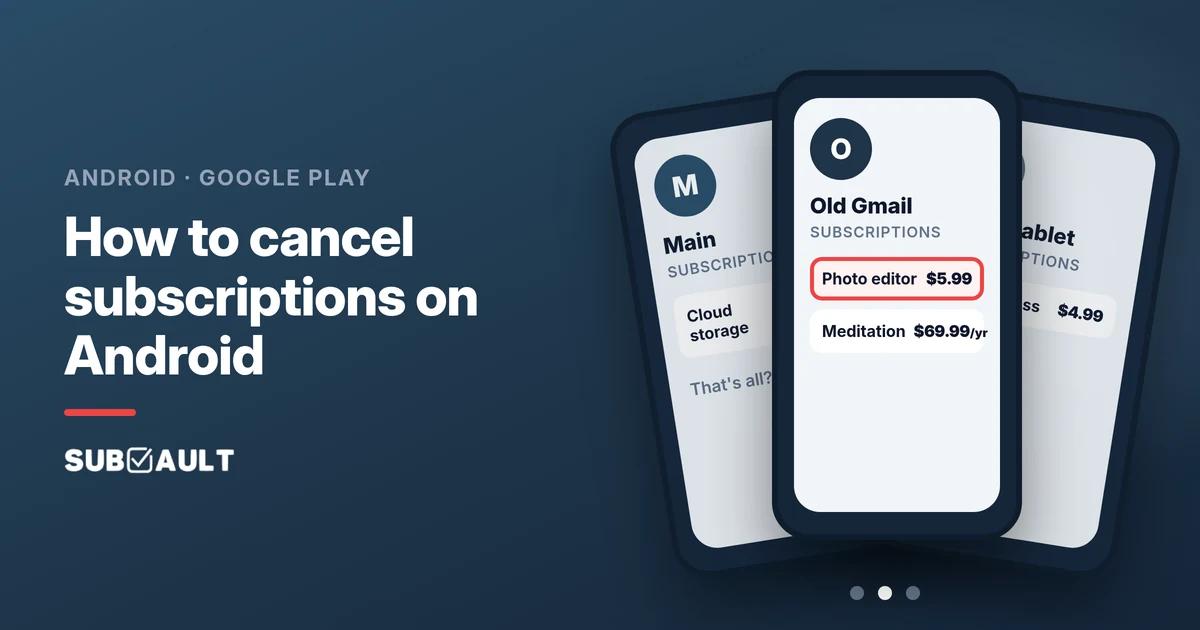
How to Cancel Subscriptions on Android (and Find the Hidden Ones)
Cancel in Google Play under Payments & subscriptions, then check every Google account: old Gmail, a kid's tablet, a work login. Plus what Play doesn't show.
Based on Google Play, Google Pay, Google For Families and Samsung help pages as of November 2026 (US).
A $5.99 charge with GOOGLE in the name lands every month, you open the Play Store, tap Subscriptions, and the list is empty. The charge is real. You are almost certainly looking at the wrong Google account.
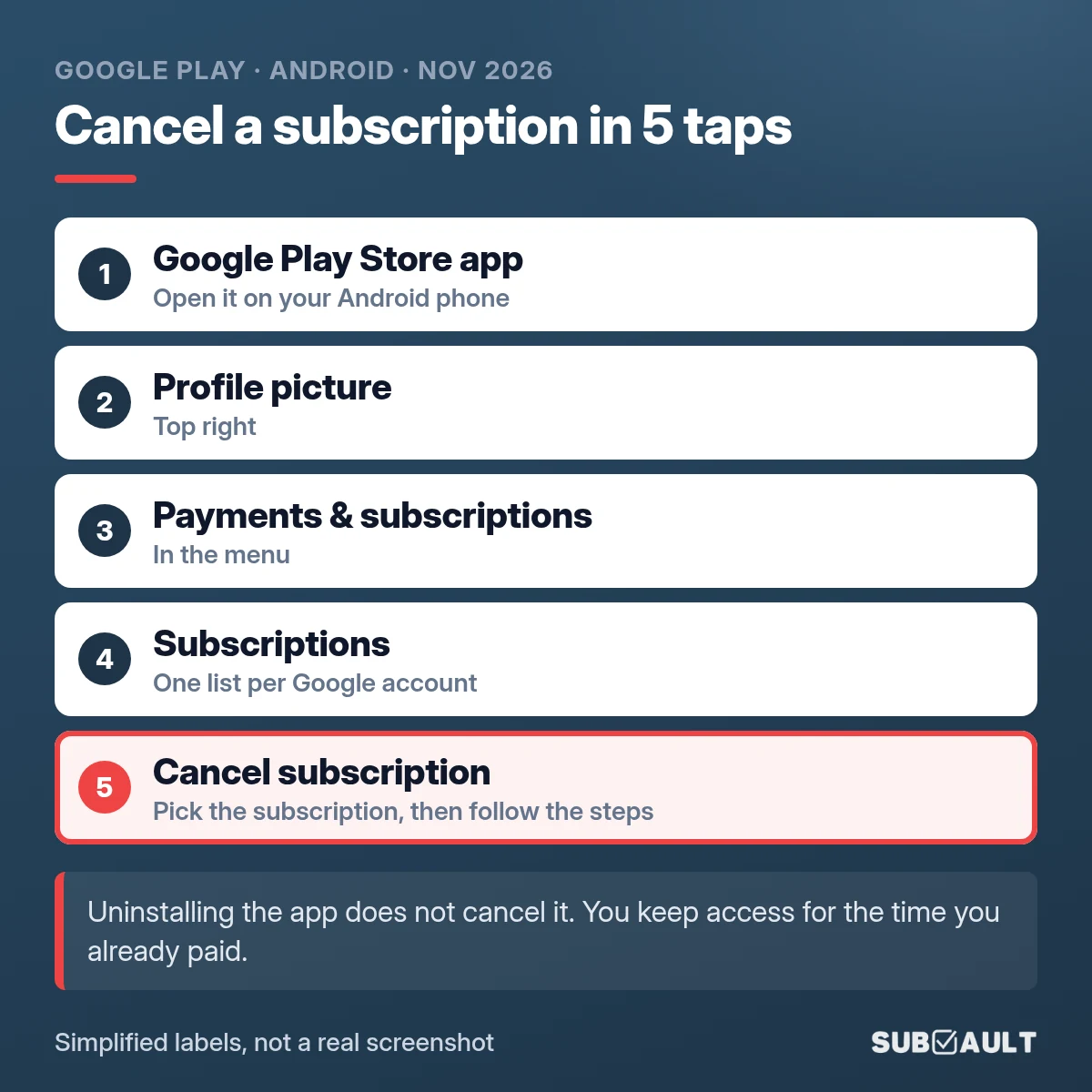
To cancel a subscription on Android, open the Play Store, tap your profile picture, then Payments & subscriptions → Subscriptions → pick it → Cancel subscription. Then do the part most guides skip: switch to every other Google account you have ever signed into and check again.
TL;DR
- ✅ Cancel path: Play Store → profile picture → Payments & subscriptions → Subscriptions → Cancel subscription.
- ✅ Uninstalling the app does not cancel anything. Google's help page flags that as "Important".
- ✅ Empty list but a GOOGLE * charge? Wrong account. Check the old Gmail, the kid's tablet, the work login, and whoever in the family "borrowed" your card.
- ✅ Play only lists what Google bills. Galaxy Store, website sign-ups and Apple have their own lists.
- ✅ Write down what you find, with the account it lives on, before you forget again.
Checking each account takes a few minutes, which is less time than the support chat you were about to open.

How do I cancel a subscription on Android?
Google Play keeps one subscriptions list per Google account. The path, with Google's own labels:
- Open the Google Play Store app.
- Tap your profile picture (top right).
- Tap Payments & subscriptions, then Subscriptions.
- Tap the subscription you want to stop.
- Tap Cancel subscription and follow the instructions (you may be asked for a reason first).
You keep access for the time you already paid. Google's example: a yearly plan bought on January 1 and canceled on July 1 works until December 31, with no new charge the next January.
Some apps offer Pause payments under Manage instead, for anywhere from one week to three months. Handy if you only skip the gym app in winter. 🙃
Started a free trial in Google Play? Our free trial cancel reminder gives you a cancel-by date and a calendar reminder before it turns into a paid subscription.
How do I check all my subscriptions on Android?
The Subscriptions list is the main view: tap one to see the price, the next billing date and the payment method. Three other views help:
| Where | Path | Good for |
|---|---|---|
| Play Store app | Profile picture → Payments & subscriptions → Budget & history | Every Play order, including one-off purchases |
| Play website | play.google.com → profile icon → Payments & subscriptions | Checking from a laptop or an iPhone |
| Google payments center | payments.google.com → Subscriptions & services | Google-billed subscriptions outside the Play app too |
Switched to an iPhone? The Play app doesn't run on iOS, so use the website, as the top Google Play Community thread on this question points out.
Why can't I find a subscription in Google Play?
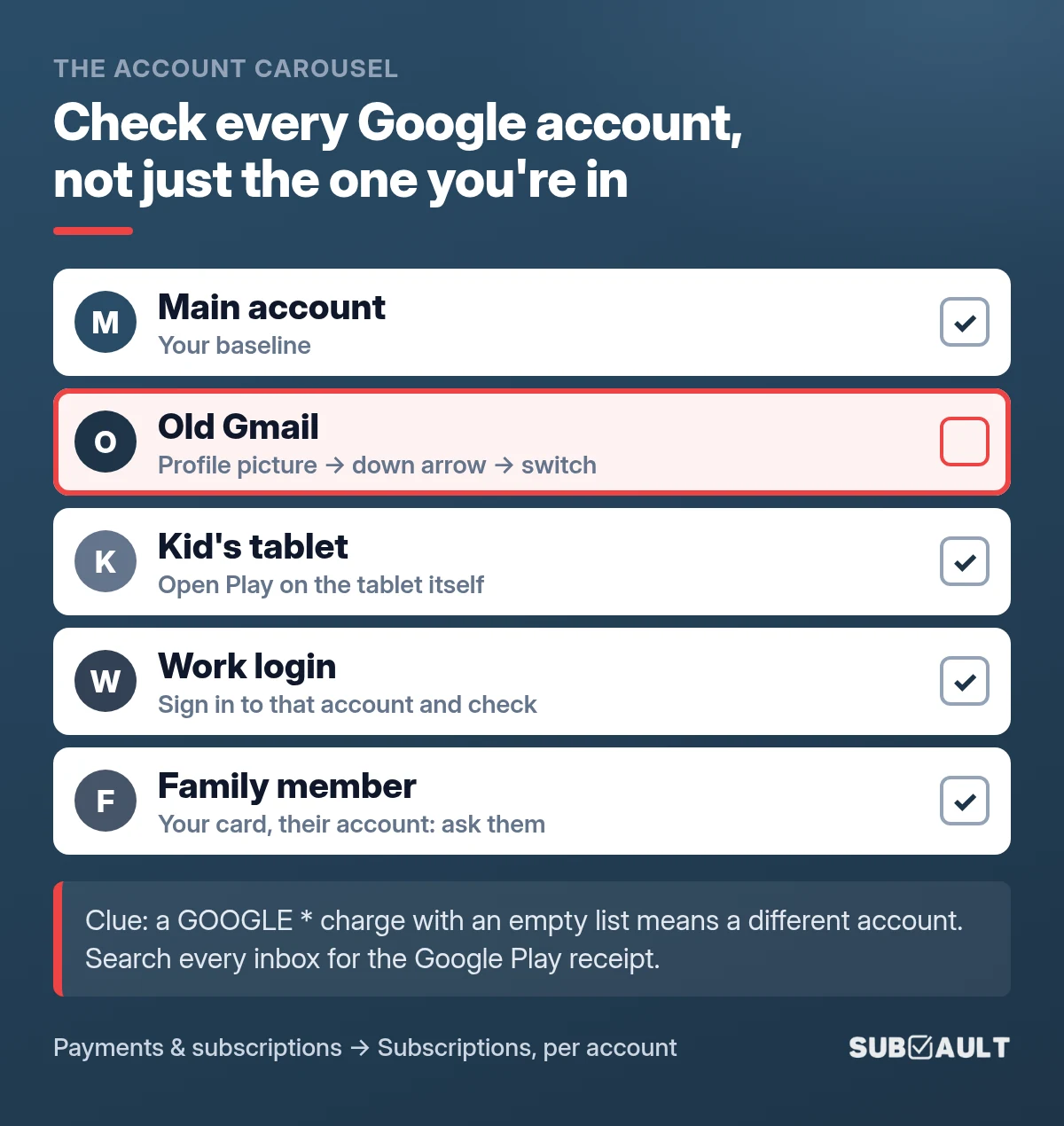
This is the big one. On Google's own help forum, the volunteer experts paste the same answer again and again: if your bank statement shows a charge starting with GOOGLE, the subscription is on a different Google account. Their checklist literally says to check "all your email accounts, family member accounts, and even work accounts."
Google's official help page adds a sneaky detail: the email you used inside the app can be different from the Google account that pays for it.
So spin the account carousel and check each one:
| Account | Why it gets forgotten | How to check it |
|---|---|---|
| Your main account | You checked it already | Note what's there as your baseline |
| An old Gmail | Signed in years ago, still on the phone, still paying | Play Store → profile picture → down arrow → pick the account |
| A kid's tablet | The tablet has its own Google account (or yours, signed in "just for setup") | Open Play on the tablet itself and check Subscriptions there |
| A work phone or work login | You once bought something on the device your job gave you | Check Subscriptions while signed in to that account |
| A family member's account | Your card, their account | Ask them to check their Subscriptions list |
On r/google, one commenter found a Disney+ subscription only after remembering they had signed up on their tablet. Another tried every Gmail they ever had before an X subscription turned up on "an old email address". A third found a yearly charge at payments.google.com, tapped Manage, and landed in the Play app on the wrong account. Check which account the app is showing before you conclude the list is empty.
Fast clue: search every inbox for your Google Play receipt. A community expert suggests searching for "GPA." (Google Play order numbers start that way). Whichever inbox has the receipt is the account you need.
Our opinion: the kid's tablet is the one to check first. It sits in a drawer, and nobody thinks of it as "a Google account".
Found One on the Old Gmail? Note Which Account It Lives On
SubVault is a manual tracker: you add each subscription yourself, tag it with the account it bills from, and get an email before it renews. No bank linking, no automatic detection. One-time $29 lifetime, Limited Time Offer, 30-day guarantee.
What doesn't Google Play show?
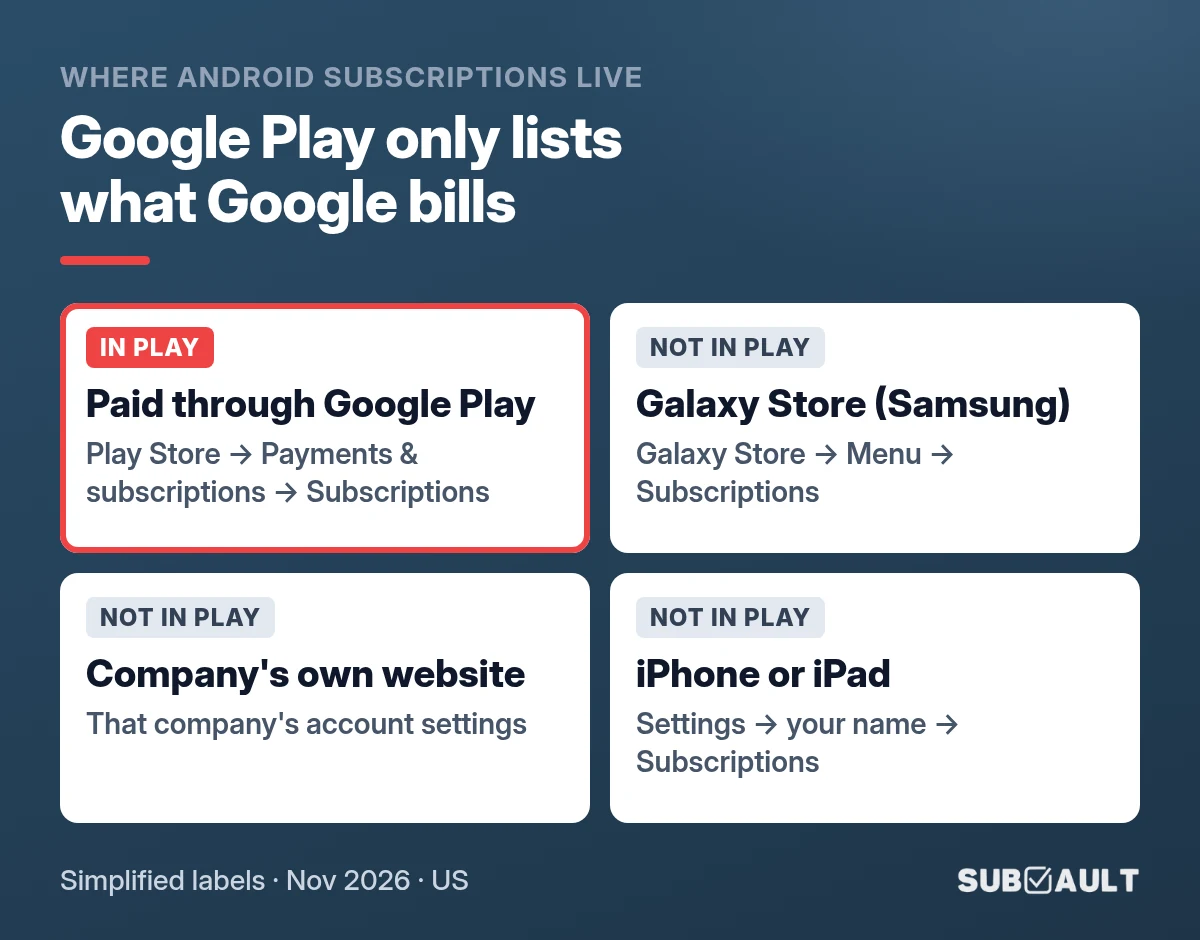
Play lists subscriptions that Google bills. Anything billed by someone else lives somewhere else, even if you use it on the same Android phone.
| You signed up... | Where it lives | Where to cancel |
|---|---|---|
| Inside an app, paid through Google Play | Google Play | Play Store → Payments & subscriptions → Subscriptions |
| In the Galaxy Store (Samsung phones) | Your Samsung account | Galaxy Store → Menu → Subscriptions |
| On the company's own website | That company | Its website or app account settings |
| On an iPhone or iPad | Apple | iPhone Settings → your name → Subscriptions |
If none of your Google accounts show the charge, Google isn't billing it. Use the credit card statement method to decode who is actually charging you.
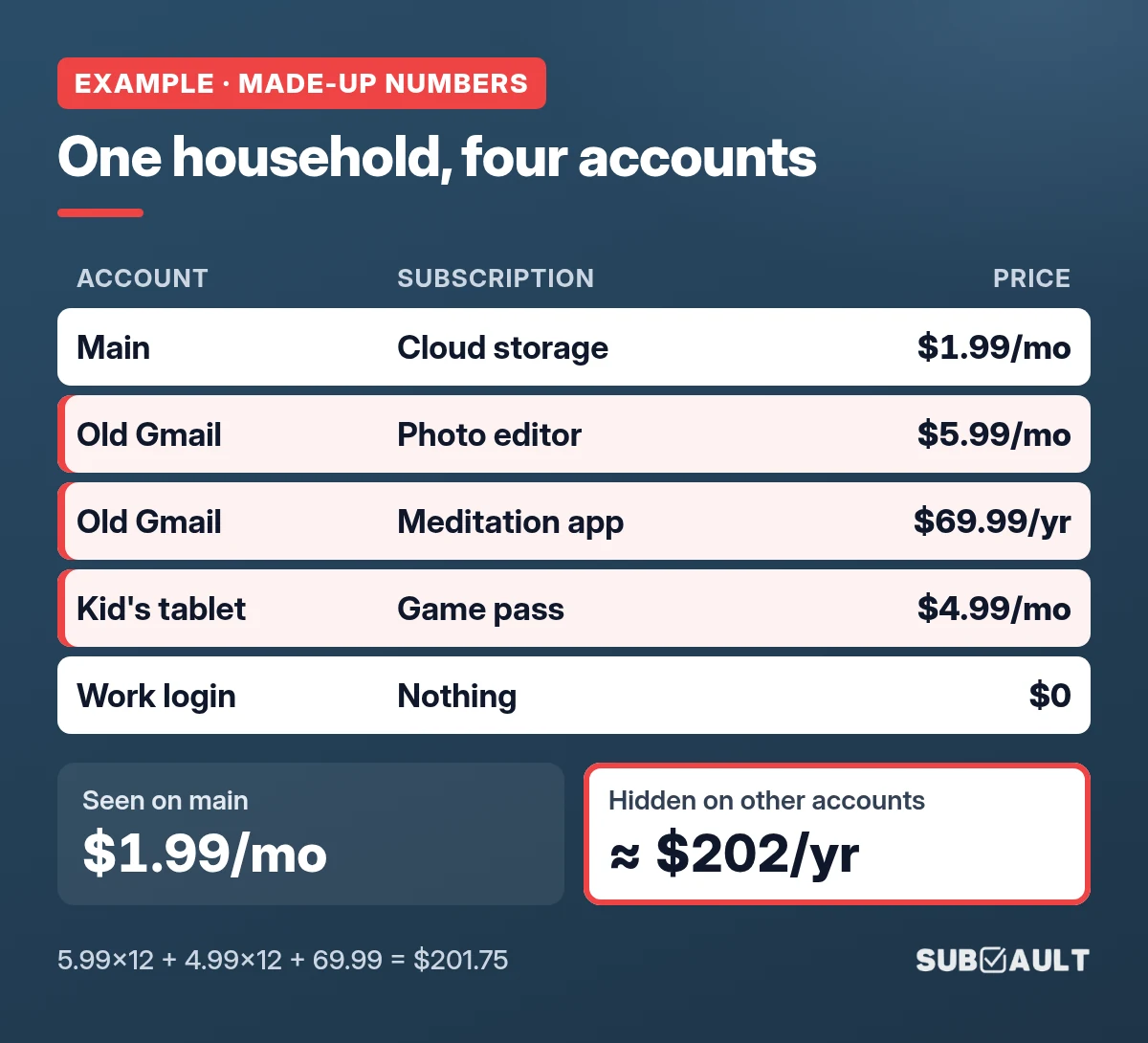
Example: one household, four Google accounts
Example · made-up numbers.
| Account | What was on it | Price |
|---|---|---|
| Main | Cloud storage | $1.99/mo |
| Old Gmail | Photo editor | $5.99/mo |
| Old Gmail | Meditation app | $69.99/yr |
| Kid's tablet | Game pass | $4.99/mo |
| Work login | Nothing | $0 |
The main account shows $1.99 a month. The other accounts hide $5.99 + $4.99 a month plus $69.99 a year: about $202 a year nobody was looking at. Made-up, but it's the pattern the forum threads keep describing.
Does uninstalling the app cancel the subscription?
No. Google's help page says it directly: "When you uninstall the app, your subscription won't cancel." The billing keeps going until you tap Cancel subscription in Play. (The one exception: if the app is removed from Google Play altogether, Google cancels its future renewals.)
What if I can't get into the old account anymore?
Try Google's account recovery first. To find a forgotten username, Google asks for the recovery phone number or email plus the full name on the account. Once you're in, cancel from the Subscriptions list as usual.
If recovery fails, Google's community guide says your only option is to contact your bank and cancel the card being charged. That stops the money. It doesn't cancel the subscription itself.
FAQ
How do I cancel a subscription on Android?
Play Store → profile picture → Payments & subscriptions → Subscriptions → pick it → Cancel subscription.
Why can't I find my subscription in Google Play?
You are probably on a different Google account. Switch accounts and check each one, plus a kid's tablet, a work login and family accounts.
Does uninstalling an app cancel the subscription on Android?
No. Cancel it in Google Play.
Does Google Play show all my subscriptions?
Only what Google bills on that account. Galaxy Store, website and Apple subscriptions live elsewhere.
How do I check subscriptions on Android without the Play Store app?
Use play.google.com (profile icon → Payments & subscriptions) or payments.google.com → Subscriptions & services.
So, which account was it?
Cancelling on Android takes five taps. Finding the right account is the real work: main, old Gmail, kid's tablet, work login, family. Check each one once, write down what lives where, and the next GOOGLE * charge won't be a mystery. For the rest of your subscriptions (Apple, PayPal, Amazon, your cards), the five-place sweep picks up where this post stops, and a quick subscription audit helps you decide what stays.
Checked Every Account? Keep the List in One Place
Add each subscription to SubVault with its price, renewal date and the Google account it bills from, then get a reminder before it renews. Manual entry, no bank linking. One-time $29, Limited Time Offer, 30-day guarantee.
Sources
- Google Play Help: Cancel, pause, or change a subscription, Fix problems with subscriptions, Review your order history, Recover your Google Account
- Google Play: How to set a budget & manage subscriptions
- Google Pay Help: Manage recurring payments & subscriptions
- Google Store Help: Cancel your Google Store subscription
- Google Play Community: Can't find a purchase or subscription? Start here!, Can't find subscription, charged for three months, Recurring charge on my account in error, Cancel subscriptions (from an iPhone)
- Reddit r/google: Subscription doesn't show up in Play, Locked out of the Gmail with the subscription
- Samsung US: Galaxy Store FAQ
- The Verge: How to cancel digital subscriptions on your Apple and Google accounts
How we made this: Google Play, Google Pay, Google Store and Samsung help pages checked on 11 Nov 2026 (US English). Forum questions from the Google Play Community and r/google. Example amounts are made-up. The menu-path images are simplified illustrations, not real screenshots, and labels can differ slightly by Play Store version and region.
Last updated: November 11, 2026
More from the SubVault blog
- How to Find All Your Streaming Subscriptions (and Who Bills Each One)Find every streaming subscription by checking who bills it: the service itself, Apple, Google Play, Amazon add-ons, Roku or your phone plan. Paths inside.
- How to Find and Cancel PayPal Automatic Payments (Remove vs Cancel)Find recurring payments in PayPal under Settings, Payments, Subscriptions and saved businesses. Then cancel with the company: removing PayPal isn't cancelling.
- How to See What Subscriptions You Have on Your Credit CardSee what subscriptions you have on your card: export 3 to 13 months, flag same-amount repeats, decode SQ * and PAYPAL *. Capital One, Chase and Amex paths.
- How to Find All Your Subscriptions (Every Place They Hide)What subscriptions do I have? Check Apple, Google Play, PayPal, Amazon, 13 months of card statements and your email. A step-by-step sweep with an example.
- How to Organize Your Subscriptions: A 6-Step System That Actually WorksUnused subscriptions cost people about $394 a year. Organize every subscription in one place with our 6-step system, plus a spreadsheet vs. app comparison.
- 6 Best Open Source Subscription Trackers (Self-Hosted Options)6 open source subscription trackers you can self-host. Compare Wallos, SubTrackr, Subs, and more, plus when a hosted option makes more sense.
- Free Subscription Tracker Google Sheets TemplateDownload our free Google Sheets subscription tracker. Track monthly/annual spending, renewal dates, and payment methods in one spreadsheet.
- The Subscription Economy: Why 59.9% Waste About $321 a YearA March 2026 Self Financial survey found 59.9% paying for an unused subscription, about $321 a year. Why the bills pile up, and how to track them.
- How to Perform a Subscription Audit (Step-by-Step Guide + Real Savings)How to do a subscription audit in 30 minutes: where subscriptions hide, a keep-or-cancel test, a full checklist, and the habits that stop forgotten charges.
- How to Manage & Cancel Apple Subscriptions on iPhone, Mac & PCHow to find and cancel Apple subscriptions on iPhone (iOS 27), Mac, Windows, Apple TV and the web. Updated 2026 prices for Apple One, Apple TV, Music and iCloud+.
- Free Printable Subscription Tracker Templates (PDF Download)Download free printable subscription tracker templates to manage subscriptions on paper. Nine PDF templates, ready to print on letter or A4 paper.
- 7 Rocket Money Alternatives in 2026 (Including No-Bank-Link Options)Rocket Money moved bill negotiation to $15/mo Premium+ on Nov 2, 2026. Compare 7 alternatives, prices checked in November, incl. pay-once and no-bank-link.